Guide for the engineering team
For the people inside an engineering firm that runs its projects in Structra: Organization Admins, Engineers and Designers. It follows a project from the moment it arrives to the report your client receives, then covers the pages you use to run the firm.
How a project flows
Every project moves left to right through the tabs on Projects: Intake, Triage, Design, Inspection and Finished. Within a tab, a sub-status says exactly where the project stands and who acts next.
- A project arrives. A client’s office submits it, a field inspector starts it on site, your own staff create it, or you convert a lead. It starts in Intake. See Intake and triage and Leads and engagement letters.
- You triage it. A submitted intake waits in Triage as Ready for Triage Review. You approve it and set the team, or push it back to the client with a reason.
- Structra sets up the design. An approved project moves to Design. Structra assembles the starting document set from your templates, then the project waits at In Drawing Queue. See Design.
- Your team draws, reviews and engineers it. Designers and engineers work from the Task Dashboard, each stage checked against your checklists.
- The report goes to the client. Structra builds the report, and setting Design Finished emails it to the client’s admins.
- Inspection, if the job needs one. The client supplies the construction dates and the foreman, your team verifies them, and Structra produces the inspection report. See Inspections.
- Finished. The project closes. It can be reopened for a change order. See Finishing, revisions and cancellations.
Billable work is added to the client’s open invoice as it is delivered. See Billing and QuickBooks.
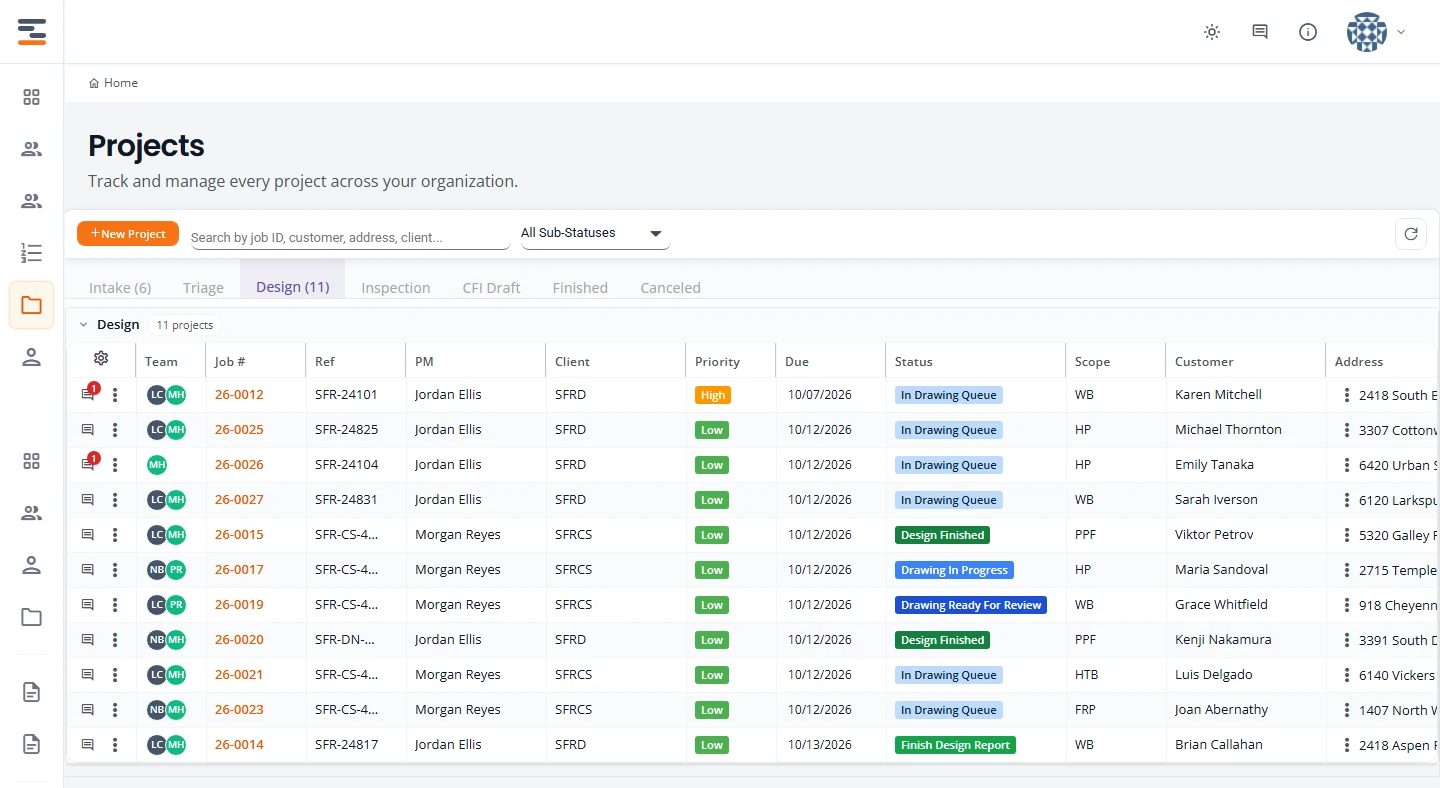
Select any picture in this guide to open it full size.
Who this guide is for
| Role | Typical work | Start with |
|---|---|---|
| Organization Admin | Triage, assigning the team, clients and their people, pricing, billing, reports and settings. | Intake and triage, Clients, branches and users |
| Engineer | Engineering review, the engineer of record on reports, verifying inspections. | Design, Inspections |
| Designer | Drawings: picking up work from the queue, the drawing checklist, revisions. | Design |
What each role can see and do is set out in Getting started. Your clients and their field inspectors have their own guides: client admins and field inspectors.
Setting up a new firm? Start with Onboarding your firm. A new firm begins on the Ad Hoc workflow. The flow above is the foundation remediation workflow, which is configured with Structra’s team.
Topics
- Onboarding your firmWhat a new firm gets on day one, the setup to do first, and how integrated workflows are added.
- Getting startedSign in, find your way around, and see what each role can do.
- Projects and statusesThe Projects list, its status tabs, and what every status means.
- Intake and triageReview a new project, read the AI pre-checks, push it back or approve it, and assign the team.
- Design capacitySet how many projects each engineer can have due per day, plan time off and holidays, and see how due dates follow.
- DesignSet up the design, work the drawings, review, build the report and send it.
- InspectionsInspection details, Upcoming Inspections, the Inspection Board and the inspection report.
- Finishing, revisions and cancellationsClose a project out, reopen it for a revision, or cancel it.
- Comments, files and deliverablesTalk to the client, keep internal notes internal, and send the right files.
- Leads and engagement lettersTake a lead from first contact to a signed engagement letter and a project.
- Clients, branches and usersSet up client companies, their branches, their people and their pricing.
- Billing and QuickBooksReview, finalize and send invoices, and connect QuickBooks.
- AnalyticsWhat each report answers and how to read it.
- SettingsNotifications, subscription, email, branding, cover letters, project types and engineer credentials.
- AI sketch rubricsThe scorecard the sketch check grades against: items, critical items, versions and reference examples.
Can’t find what you need? Email support@structra.tech and tell us what you were trying to do.