Service Catalog
The Service Catalog holds your services and what you charge for each. Every estimate is priced from it, so set it up before you quote.
What is in the catalog
Open Service Catalog. If you do more than one kind of work, pick the kind from the list at the top right. Each kind has its own catalog.
| Tab | What it holds |
|---|---|
| Features | The list of services you can put on an estimate, with what each is priced by (each, per room, per window, per square foot or per hour). |
| Pricing & Labor | Your price and your labor hours for each service. This is the tab you will use most. |
| Pricing | Rules that apply across every estimate, such as your minimum charge. |
| Simulator | Try out a few services and see the total, without creating a job. |
Tree care catalogs have two more tabs, Modifiers and Rules. See Tree care.
Set your prices
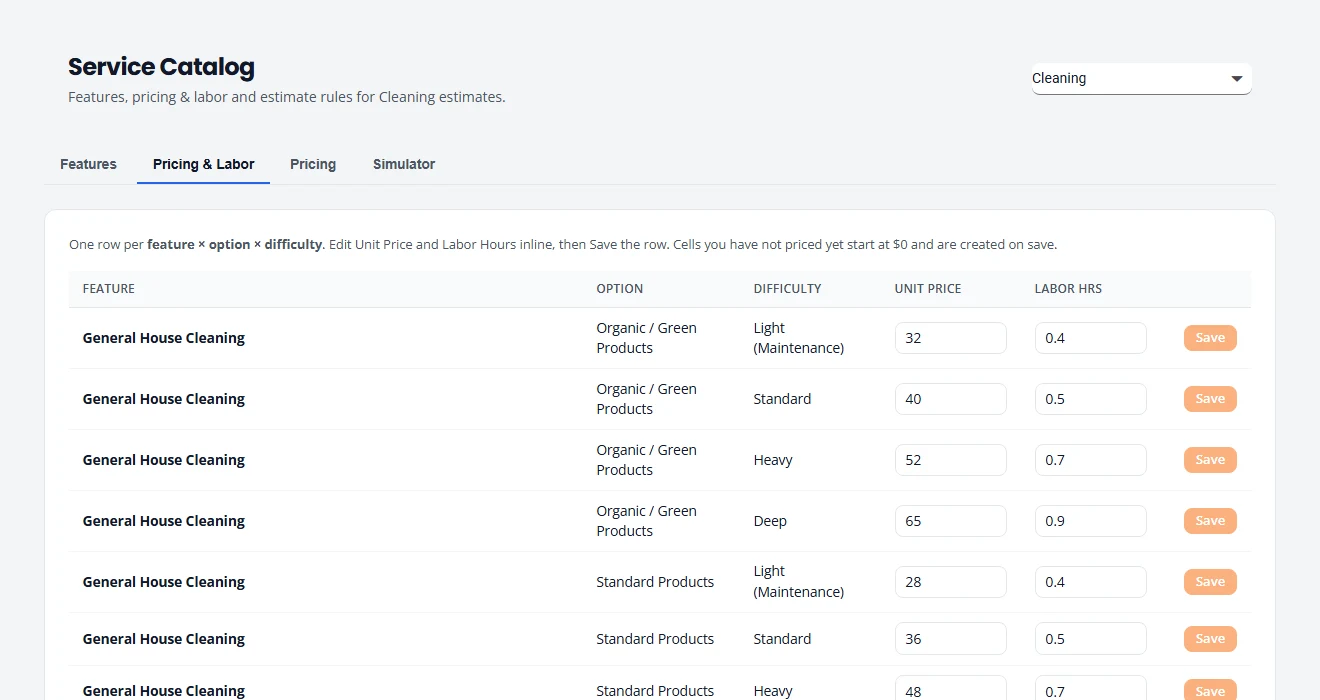
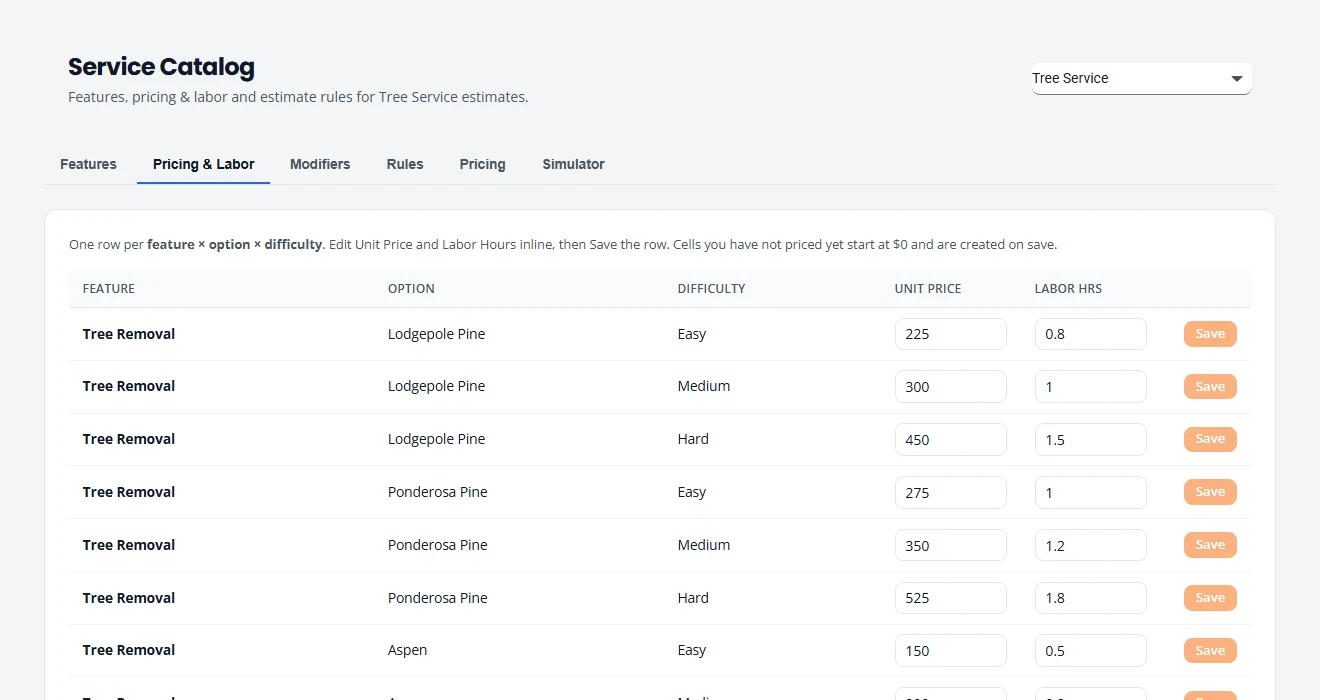
- Open the Pricing & Labor tab. There is one row for each service, type and difficulty or condition.
- In Unit Price, type what you charge for one unit: one tree, one room, one window, one square foot or one hour.
- In Labor Hrs, type roughly how long one unit takes. This is used to plan crew time.
- Press Save at the end of that row.
Difficulty and condition
Many services have more than one price, because the same job is not always the same amount of work. You set a price for each level, and choose the level when you build the estimate.
- Tree care uses difficulty: Easy, Medium and Hard. A tree in the open is not the same job as one leaning over a roof.
- Cleaning uses condition: Light (Maintenance), Standard, Heavy and Deep. A home you clean every week is not the same job as a first visit.
Some services also have a Type. For tree removal it is the kind of tree. For general house cleaning it is the product line. Each type and level has its own row.
Set a minimum charge
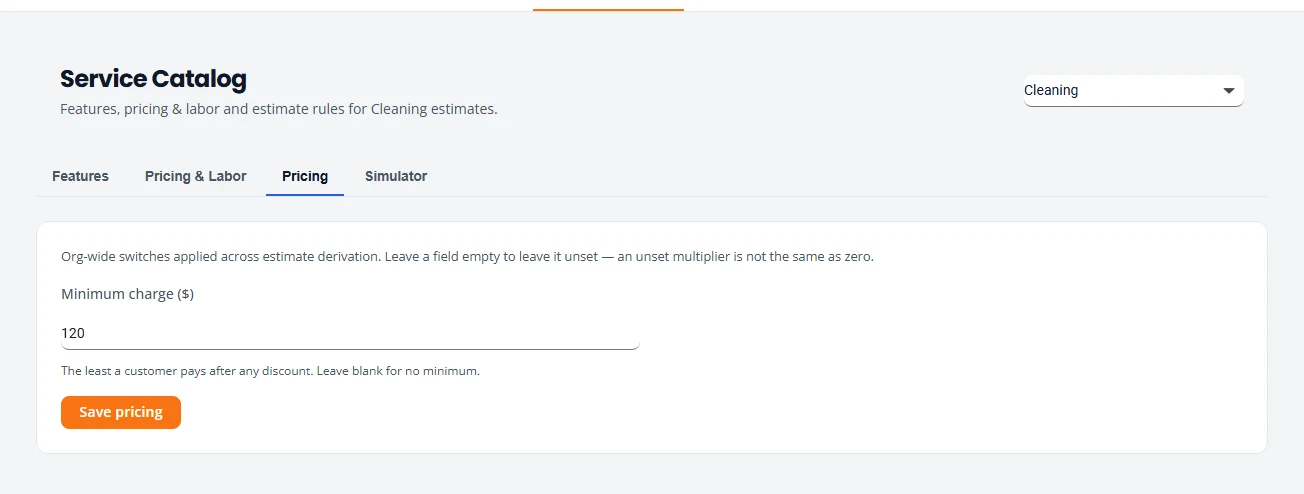
A minimum charge is the least you will take a job for.
- Open the Pricing tab.
- Type the amount in Minimum charge ($). Leave it blank for no minimum.
- Press Save pricing.
Test a price
Before you quote a customer, check that your prices add up the way you expect. Open the Simulator tab, press Add selection for each service, then press Preview. It shows the total and the hours. Nothing is saved and no job is created.
What changing a price affects
| What | Does a new price change it? |
|---|---|
| New estimates | Yes. They use the price at the moment you build them. |
| Estimates you already created | No. They keep the prices they were quoted at, even if you open and save them again. |
| Recurring visits | No. A recurring schedule has its own price per visit. Change it on the schedule. See Change the price. |
Stuck on something? Email support@structra.tech and tell us what you were trying to do.