The menu
The menu runs across the top of the portal. Most of it is the same for everyone. A few screens only appear for the kinds of work that use them, so you never see screens you do not need.
What everyone sees
| Menu | What it is for |
|---|---|
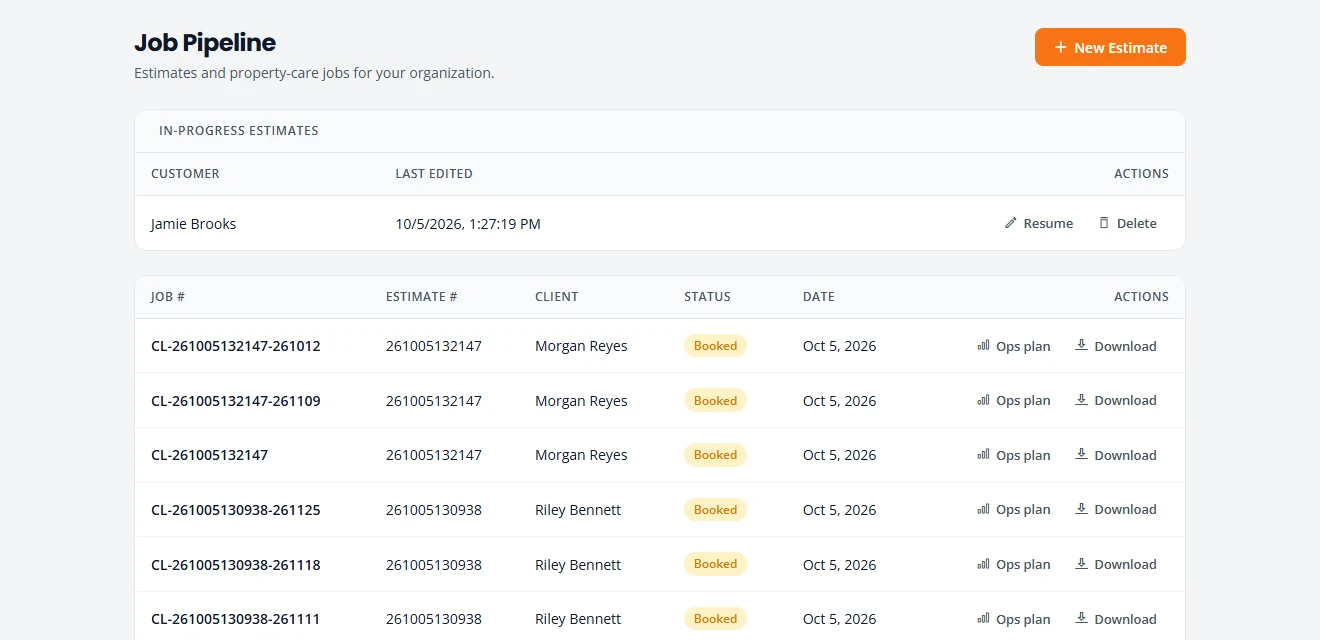
| Pipeline | Where you start an estimate (New Estimate). Also lists estimates you have not finished, and every job with a button to download its estimate. |
| Projects | Every job, grouped by where it stands: Leads, Estimating, Booking, Scheduled, In Progress, Completed & Billing and Closed. This is where you schedule, assign crew and move a job along. |
| Action Queue | What needs you today, most urgent first. A good place to start the morning. |
| Schedule | The week ahead as a list or a calendar: who is where, and when. |
| Customers | Everyone you have quoted or worked for, with their contact details and jobs. See Customers and reviews. |
| Recurring | Your repeat customers and their upcoming visits, for kinds of work that repeat. |
| Service Catalog | Your services and prices. Estimates are built from them. |
| Ask for Reviews | Email past customers a link to review you on Google. Admins only. See Ask for reviews. |
| Settings | Your company’s settings, team and subscription. Admins only. See Your settings. |
What changes with your kind of work
You chose your kinds of work when you signed up. Some kinds add their own screens. If you do more than one, you see the screens of each.
| Kind of work | Recurring | Equipment | Products & Supplies | Dump Sites |
|---|---|---|---|---|
| Tree care | Yes | Yes | No | Yes |
| Cleaning | Yes | No | Yes | No |
| Engine repair | No | No | No | No |
| Snow removal | Yes | No | No | No |
| Junk removal & hauling | No | No | No | Yes |
| Yard care & cleanup | Yes | No | No | Yes |
| Handyman | No | No | No | No |
- Everyone has a crew list. With tree care it also lists the equipment you own and is called Equipment & Crew. Without tree care it is called Crew.
- Products & Supplies is the cleaning products you use, by product line.
- Dump Sites is where you haul debris or junk, and what each load costs you.

More on each kind: Tree care, Cleaning, Engine repair, Snow removal and Yard, junk and handyman. To add or remove a kind of work, see Your settings.
The top bar

- Help opens this guide in a new tab.
- The sun or moon button switches between light and dark.
- The gear opens Settings. Only admins see it.
- Sign out signs you out on this device.
Stuck on something? Email support@structra.tech and tell us what you were trying to do.